
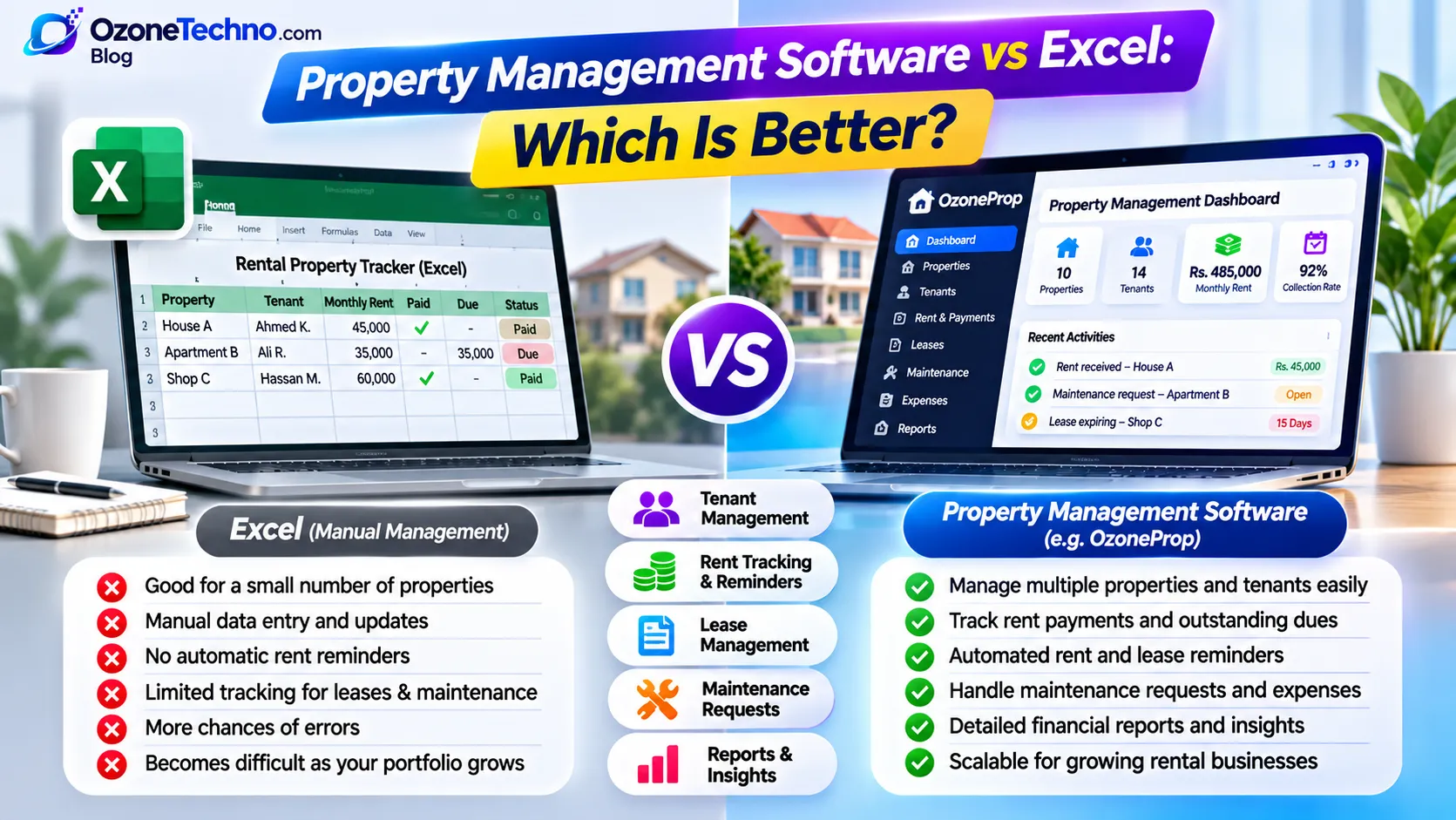
Property Management Software vs Excel: Which Is Better?
Managing rental properties involves much more than collecting monthly rent. Landlords and property managers need to keep track of tenants, rental agreements, payment records, expenses, maintenance requests, and important dates.
When managing just one or two properties, an Excel spreadsheet may seem like an easy and affordable solution. You can record tenant details, calculate rent, and maintain basic payment records without purchasing additional software.
But what happens when you start managing multiple properties, dealing with more tenants, or handling several rental payments every month?
Spreadsheets can become difficult to maintain, information may get scattered across different files, and important tasks can easily be missed.
This is where property management software can make a difference.
In this guide, we'll compare property management software vs Excel, explore the advantages and disadvantages of each option, and help you decide which solution is better for managing your rental business.
What Is Excel Property Management?
Microsoft Excel is a spreadsheet application that allows users to organize information, perform calculations, and maintain records.
Landlords can use Excel to create their own property management spreadsheets.
For example, a basic rental management spreadsheet might contain:
Property names and addresses.
Tenant names and contact details.
Monthly rental amounts.
Security deposits.
Rent payment dates.
Outstanding balances.
Maintenance expenses.
Lease start and end dates.
With formulas and filters, Excel can also calculate totals, display outstanding payments, and organize rental information.
For landlords managing a small number of properties, this approach may be sufficient.
However, Excel is primarily a spreadsheet tool. It does not provide a complete rental management workflow by default.
What Is Property Management Software?
Property management software is a digital system designed to help landlords and property managers organize and manage rental operations.
Instead of maintaining separate spreadsheets for different activities, users can manage important information through a centralized dashboard.
Depending on the software, features may include:
Property management.
Tenant records.
Rental agreements and lease tracking.
Rent payment records.
Payment reminders.
Outstanding rent tracking.
Maintenance requests.
Property expenses.
Financial reports.
Document management.
The main purpose is to reduce manual administration and make rental information easier to access.
For landlords managing multiple properties, a dedicated property management system can provide a more organized way to handle daily responsibilities.
Property Management Software vs Excel: Quick Comparison
Let's compare both options across important rental management activities.
| Feature | Excel | Property Management Software |
|---|---|---|
| Property records | Manual spreadsheets | Centralized property records |
| Tenant management | Manual data entry | Dedicated tenant profiles |
| Rent tracking | Formulas and manual updates | Structured rent records |
| Payment reminders | Manual reminders | Automated reminders if supported |
| Lease tracking | Manual date tracking | Dedicated lease records and date tracking |
| Maintenance requests | Separate sheets or notes | Organized maintenance records |
| Expense management | Manual calculations | Structured expense tracking |
| Financial reports | Created manually | Built-in reports, depending on software |
| Document management | Separate folders and links | Centralized document handling if supported |
| Multiple users | File sharing and permissions | User roles and access controls if supported |
| Scalability | Becomes harder to manage as records grow | Designed to organize larger rental operations |
The exact capabilities depend on the software you choose. Not every property management system includes every feature.
Let's examine the major differences in more detail.
1. Property and Tenant Management
One of the most important responsibilities of a landlord is maintaining accurate property and tenant information.
Managing Properties and Tenants with Excel
In Excel, you can create separate worksheets for properties and tenants.
For example:
| Property | Tenant | Monthly Rent |
|---|---|---|
| House A | Ahmed | Rs. 45,000 |
| Apartment B | Ali | Rs. 35,000 |
| Shop C | Hassan | Rs. 60,000 |
This is a simple way to organize information.
However, as your rental portfolio grows, you may need additional spreadsheets for tenant contact details, property expenses, lease information, and payment history.
Keeping everything updated across multiple sheets requires careful manual work.
Managing Properties and Tenants with Software
A property management system can organize properties and tenants through dedicated records.
You can maintain property information, connect tenants with their rental properties, and access relevant details from a centralized dashboard.
Instead of searching through multiple spreadsheets, you can find the information you need in one system.
Winner: Property management software for landlords managing multiple properties or tenants.
2. Monthly Rent Tracking and Payment Records
Rent collection is one of the most important parts of rental property management.
Landlords need to know which tenants have paid, which payments are pending, and how much rent remains outstanding.
Excel Rent Tracking
You can create a spreadsheet with columns for:
Tenant name.
Property.
Monthly rent.
Payment date.
Amount received.
Outstanding amount.
Payment status.
Excel formulas can calculate totals and balances automatically.
However, you still need to enter payment information and update records manually whenever a payment is received.
If you forget to update a spreadsheet, the information may no longer reflect the actual payment status.
Software-Based Rent Tracking
Property management software can provide structured rent records and payment histories.
Depending on the system, you may be able to:
Record received rent payments.
View pending amounts.
Check tenant payment histories.
Monitor outstanding balances.
Review rental income reports.
Some systems also support automated reminders or payment integrations.
Winner: Property management software for organizing recurring rental payments and maintaining payment histories.
3. Rent Reminders and Important Dates
Remembering rent due dates for several tenants can become difficult.
You may also need to track lease expiry dates, renewal dates, maintenance schedules, and other important deadlines.
Excel
Excel can store dates and calculate the number of days remaining until a payment or lease expiry.
You can also create conditional formatting to highlight upcoming dates.
However, a spreadsheet does not automatically contact tenants or send reminders unless you build additional automation around it.
You must regularly check the spreadsheet and take action yourself.
Property Management Software
A dedicated system can help organize important dates and reminders.
Depending on its features, it may support:
Rent due-date reminders.
Overdue payment notifications.
Lease expiry reminders.
Renewal reminders.
Maintenance follow-ups.
These features help reduce the amount of manual tracking required.
Winner: Property management software, especially when managing several tenants with different payment and lease dates.
4. Maintenance Requests and Property Expenses
Rental properties require regular maintenance.
Tenants may report plumbing problems, electrical issues, damaged fixtures, or other repair requirements.
Landlords also need to keep track of maintenance costs and other property-related expenses.
Excel
You can create a maintenance spreadsheet with columns for the property, tenant, problem description, repair date, and expense.
This works for basic recordkeeping.
However, maintenance information can become scattered across spreadsheets, emails, and messaging conversations.
Property Management Software
A property management system can organize maintenance requests and expenses in a structured format.
For example, you can maintain records of:
Maintenance issue descriptions.
Related properties.
Reported dates.
Request status.
Repair expenses.
Completed work.
This makes it easier to review previous maintenance activities and understand how much you are spending on individual properties.
Winner: Property management software for centralized maintenance and expense records.
5. Financial Reports and Rental Business Insights
Landlords need to understand how their rental properties are performing.
Useful information includes monthly rental income, outstanding payments, property expenses, and overall financial performance.
Excel
Excel is very useful for financial calculations.
With the right formulas, charts, and pivot tables, you can create detailed reports.
However, creating and maintaining these reports requires spreadsheet knowledge and accurate data entry.
Property Management Software
Many property management systems provide ready-made reports and dashboards.
Depending on the software, you may be able to review:
Total rental income.
Collected rent.
Outstanding rent.
Property expenses.
Monthly financial summaries.
Property-level performance.
Instead of building reports manually, you can use the reporting tools available in the software.
Winner: Property management software for convenient reporting, although Excel remains powerful for custom financial analysis.
6. Data Organization and Human Errors
One common problem with spreadsheet-based management is maintaining consistent and accurate information.
For example:
A tenant's phone number may be updated in one spreadsheet but not another.
A rent payment may be entered twice.
A formula may accidentally be deleted.
An old spreadsheet may be used instead of the latest version.
Important information may be overwritten.
These issues become more difficult to manage when multiple people work with the same records.
Property management software can provide a more structured approach by connecting property, tenant, payment, and maintenance records.
A well-designed system can also apply validation rules and permissions to help prevent certain mistakes.
However, software does not eliminate human errors completely. Accurate records and proper processes are still important.
Winner: Property management software for structured recordkeeping and more consistent workflows.
7. Accessibility and Multiple Users
Landlords and property managers may need to access rental information from different locations.
They may also work with assistants, accountants, maintenance staff, or other team members.
Excel
Excel files can be stored on a computer, shared through cloud storage, or edited collaboratively using supported Microsoft 365 features.
However, managing different versions of files and controlling access can become complicated if the process is not organized.
Cloud-Based Property Management Software
Cloud-based property management software allows authorized users to access the system through a web browser.
Depending on the platform, it may provide:
Centralized access to rental records.
User accounts.
Role-based permissions.
Updated information across devices.
Shared property management workflows.
This can make collaboration easier when several people are involved in managing rental operations.
Winner: Cloud-based property management software for teams that need centralized access and structured user permissions.
8. Cost: Excel vs Property Management Software
Cost is another important consideration, particularly for small landlords.
Excel Costs
Excel may already be available through an existing Microsoft 365 subscription or other licensed setup.
You can also use alternative spreadsheet applications for basic rental recordkeeping.
There may be little additional software cost, especially if you only manage a few properties.
However, your time is also a cost. Manually updating spreadsheets, checking payments, and preparing reports can become time-consuming.
Property Management Software Costs
Property management software may involve:
Monthly or annual subscription fees.
Initial setup costs.
Data migration.
Training.
Additional user fees.
Optional integrations.
However, a suitable system can reduce repetitive administrative work and help organize rental operations.
When comparing costs, consider the total cost of managing your properties rather than looking only at the software subscription.
Property Management Software vs Excel: Which Should You Choose?
The best option depends on the size of your rental portfolio and how you manage your properties.
Choose Excel If:
You manage only one or two rental properties.
You have very few tenants.
Your rental records are simple.
You are comfortable working with spreadsheets.
You don't need automated workflows.
You want a basic, low-cost recordkeeping solution.
Excel can be perfectly suitable for small and straightforward rental operations.
Choose Property Management Software If:
You manage multiple rental properties.
You have several tenants.
You need organized rent payment records.
You regularly track lease expiry dates.
You handle maintenance requests.
You want centralized property information.
You need rental income and expense reports.
You want to reduce repetitive manual work.
As your rental business grows, a dedicated system can make daily management considerably more organized.
A Practical Example: Managing 10 Rental Properties
Imagine you own or manage 10 rental properties, each with a different tenant.
You need to track:
Ten tenant profiles.
Ten monthly rental amounts.
Payment records every month.
Outstanding balances.
Lease start and expiry dates.
Maintenance requests.
Property-related expenses.
With Excel, you could manage all these details using multiple worksheets.
However, you would need to update records, check payment dates, maintain formulas, and prepare reports manually.
With property management software, you can organize these activities through a centralized system.
You can view properties, access tenant information, record rent payments, track maintenance, and review reports without moving between multiple spreadsheets.
The difference becomes more noticeable as the number of properties and tenants increases.
Introducing OzoneProp by OzoneTechno
If you're looking for a more organized way to manage rental properties, OzoneProp by OzoneTechno provides a dedicated property management solution.
Instead of maintaining separate Excel files for tenants, rent payments, leases, and expenses, OzoneProp brings important property management activities into one digital platform.
What Can You Manage with OzoneProp?
Property Management
Organize your rental properties and maintain their relevant information in one place.
Tenant Management
Maintain tenant records and access important tenant details when needed.
Rent Tracking
Keep structured records of rental payments and monitor outstanding amounts.
Lease Management
Organize rental agreements and track important lease information and dates.
Rent Reminders
Make it easier to manage recurring rent schedules and reminders using supported system features.
Maintenance Management
Maintain records of property maintenance requests and repair activities.
Expense Tracking
Organize property-related expenses and review rental business costs.
Reports and Dashboard
Get a clearer overview of your rental management activities through centralized information and reporting.
Whether you are an individual landlord, a property investor, or a property management company, OzoneProp can help bring your rental management information into a more organized system.
Ready to move beyond spreadsheets?
Explore OzoneProp and discover a more organized approach to property rental management.
Frequently Asked Questions
1. Is Excel good for managing rental properties?
Yes. Excel can work well for landlords managing a small number of properties with simple requirements. It can track tenants, rent payments, expenses, and important dates. However, it requires manual updates and may become harder to manage as the rental portfolio grows.
2. What is the difference between Excel and property management software?
Excel is a general-purpose spreadsheet application that can be customized for rental recordkeeping. Property management software is designed specifically for rental operations and may provide dedicated tools for properties, tenants, rent tracking, leases, maintenance, and reports.
3. When should landlords switch from Excel to property management software?
Consider switching when you have multiple properties, several tenants, recurring administrative tasks, or difficulty maintaining accurate records. If managing spreadsheets is taking too much time, dedicated software may be a better option.
4. Can property management software track monthly rent payments?
Many property management systems allow landlords to record rent payments, view payment histories, and monitor outstanding balances. Some also provide payment reminders and online payment integrations.
5. Can property management software manage multiple properties?
Yes. Multi-property management is a common feature of dedicated rental management systems. It allows landlords and property managers to organize multiple properties and their associated tenant records in one place.
6. Is property management software suitable for small landlords?
Yes. Even landlords with a relatively small rental portfolio can benefit from organized tenant records, payment tracking, lease information, and expense management. The important thing is choosing software that matches the size and needs of the business.
7. Can I migrate my Excel rental records into property management software?
Many systems support importing data through CSV or spreadsheet files. However, the available import options depend on the software. Before migrating, clean your spreadsheets, remove duplicate records, and make sure the data is organized correctly.
8. Does property management software automatically collect rent?
Not necessarily. Some platforms support online rent payments through payment integrations, while others focus on recording payments and tracking outstanding balances. Always check whether a specific system supports payment collection in your country.
Final Thoughts
Excel is a useful tool for managing basic rental records, especially when you own only a few properties.
But as your rental business grows, managing tenants, payments, leases, maintenance requests, and expenses through spreadsheets can become increasingly difficult.
Property management software provides a more structured approach by bringing these activities together in one place.
If you're managing multiple rental properties or spending too much time updating spreadsheets, it may be time to consider a dedicated solution.
Move from scattered spreadsheets to organized rental management with OzoneProp by OzoneTechno.

